
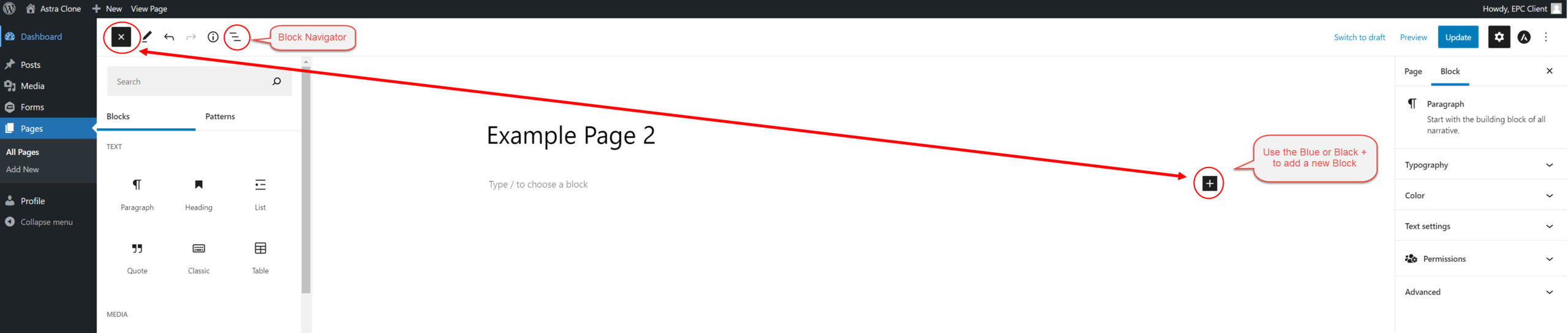
“Blocks” or “Content Blocks” are editable building blocks that make is easy to add and customize content on your website. Blocks can be added on top of one another or side-by-side. There are a variety of blocks available for use on your site. These can contain text, imagery, videos, etc.
The below video will show you how to add blocks, arrange and move them around on a page, and use the Block Navigator to see all the currently active blocks on a given page.
How to Use Blocks
How to Adjust Block Settings
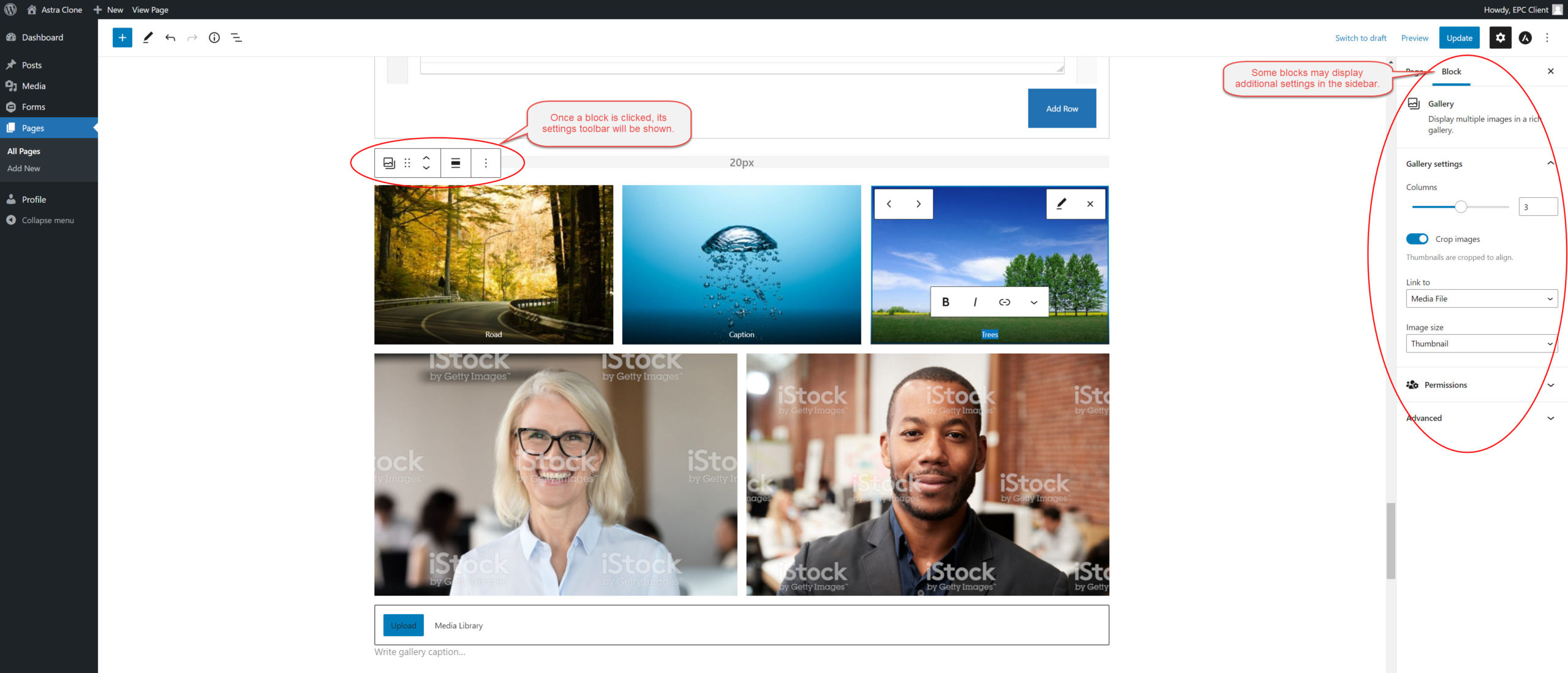
The below video will show you where to find customization settings for your blocks. When clicked, each block will display a rectangular toolbar with its most important features. Some blocks may have additional settings on the right sidebar of your screen. The settings will vary from block to block, but you can expect to find settings for things such as alignment, size, text formatting etc.
Note: Additional help documentation can also be found on the WordPress site.
All done? Please continue to the final step:
Click here to confirm you’ve reviewed all the necessary tutorials and are ready to schedule your Q&A.